
Color Wheel Control Of ws2812 LED Strip With Android Phone
What’s In This Page
How to control ws2812 led strip with an android phone or tablet. A video demonstration is included.
If you are using a phone, at the bottom of the page there are links to many supplies for modelers. Otherwise those links are in the sidebar to the right. You can also find other information by using the search function that is in the navigation bar above.
Also In Addition To What’s In This Page, What This Site Can Do For You
If you are a model train enthusiast, modeler, diorama maker, or interested in making Arduino projects the easy way, there is categorized information for you here. Click Here.
The App

The app is installed on your android phone or tablet.
The device then connects wirelessly to a pixel controller that causes the ws2812 to show the color that you choose.
More details are below.
You can get the app here.
The LED Controller
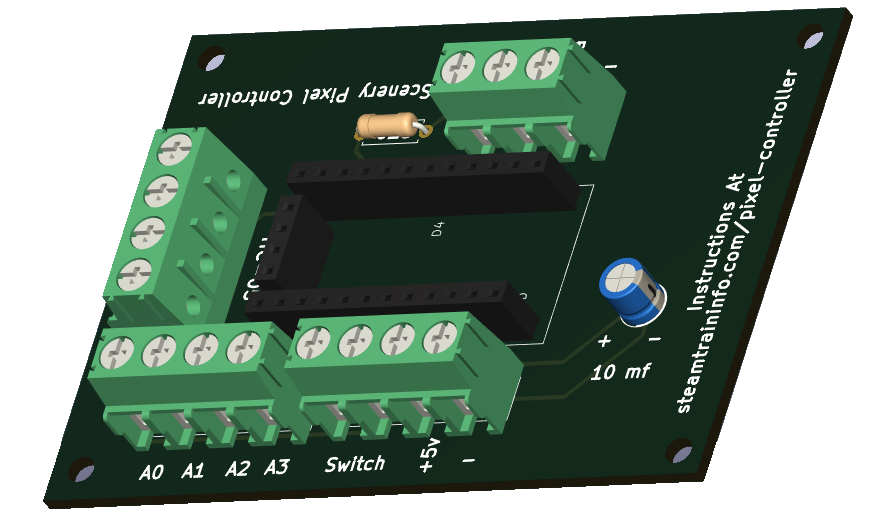 The led controller is Arduino mini based. The Arduino is programmed to respond to the app.
The controller has screw terminal connections for connecting a ws2812 led strip and an HC-05 module to connect to the app on your android device.
How It Works
You move the ball (the black dot on the color wheel) to a position that equates to the color you want displayed.
As shown by the image to the left, the RGB values will be displayed on the screen.
When you press the update color button, the color shown on the LED strip changes to match the color chosen on the screen.
The video below shows the entire sequence.
How To Install The App On Your Device
A step by step guide is here.
Video Demonstration
Video In Editing
Feedback
Your questions and comments help us clarify and upgrade the information presented. Even if you find this helpful, please tell us.
Please let us know if this page has been helpful And if you have questions or suggestions, use this spam free system.
Or use the green WhatsApp button that is to the right.