
Thunder And Lightning Storm With Single Lightning Bolts
What’s In This Page
This pages covers adding a thunder and lightning storm to your project.
The storm flashes single lightning bolts.
You learn how to and the advantages of a plug and play storm controller and also shows you how to buld one using a money saving kit.
If you are using a phone, at the bottom of the page there are links to many supplies for modelers. Otherwise those links are in the sidebar to the right. You can also find other information by using the search function that is in the navigation bar above.
The Latest Information
Anything new and page updates are posted on X (formerly Twitter), Rumble and Facebook.
It is easy to keep up with the latest by following us on either of them.
Free Help
Plug And Play Or Kit
You can choose to use a ready to install storm controller or a kit.
You save money with the kit. It does, however require time and soldering.
If you are handy with a soldering iron, the kit is a good choice. Otherwise go with the ready to install unit.
Both are available here. BBBBBB
Plug And Play
This is What You Get
 Storm controller
 Speaker
 LED Strip
 FTDI Programmer
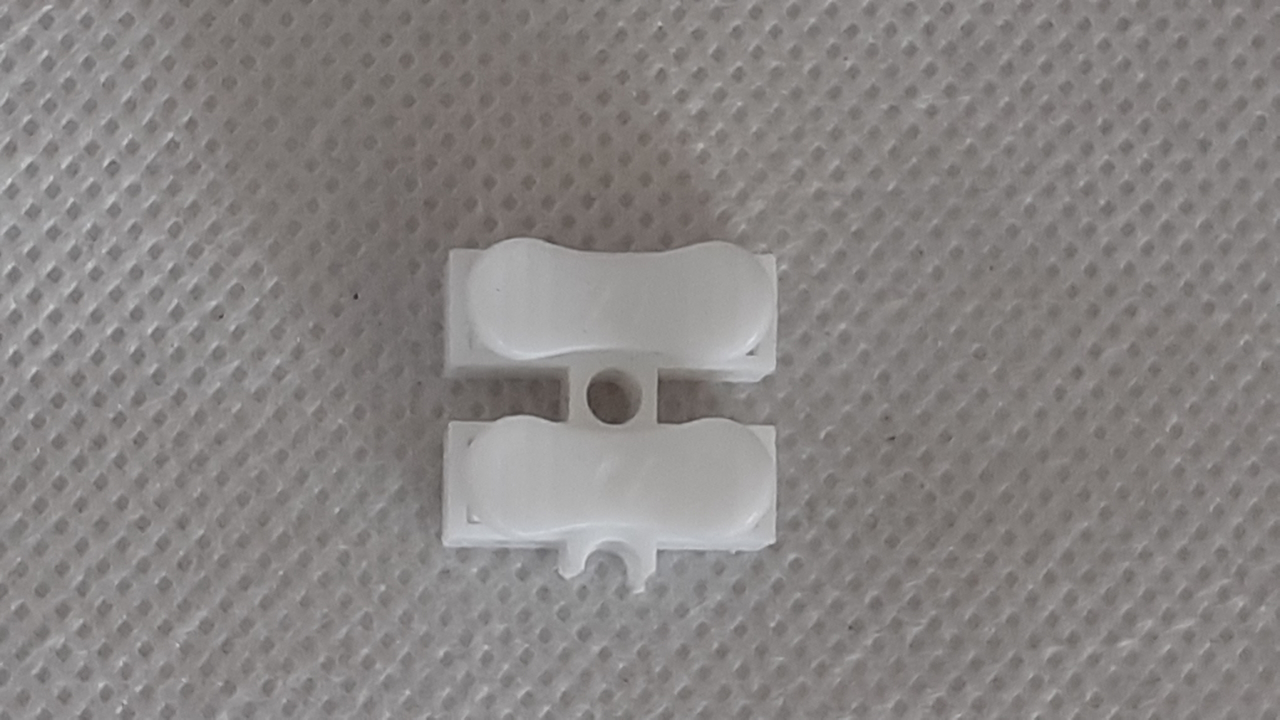 Snap connectors
Features
What You Must Do
Kit Assembly Process Overview
 The project utilizes a circuit board with a lightning controller and MP3 player for thunder sounds. An image of the board is to the left.
A 12v pixel LED strip is used to simulate lightning flashes.
The strip flashes when the thunder sound exceeds a set threshold level.
The board requires 12v DC for the LED strip and 5 v DC for the Arduino Board and MP3 player.
Materials Required
Circuit Board
Resistor 10K 1
Arduino mini pro 1
MP3 Player 1
IRF540N Mosfet 1
2 pin screw terminal 2
3 pin screw terminal 2
5050 LED Strip 1 meter 1
Speaker 1
32 GB SD Card 1
DuPont Pin Socket 2
You supply wires – telephone cable wire is fine.
You supply 12v DC and %v DC power supplies.
This pixel LED lightning can be made from a kit or you can get the board completely assembled. Get everything here.
Using the fully assembled board
 The image to the left shows the board with the pixel led and speaker attached. The SD card is loaded in the MP3 player.
12v power for the LED is connected. 5v power for the Arduino min pro is connected. A switch is also connected.
The Arduino mini pro comes pre-programmed, and the SD card is pre-loaded with recommended thunder sounds. However, users can customize the sounds by following the instructions provided on the page. bbbbbbbbbb Operation is controlled by a manual switch, and the project supports external control via another microcontroller. Users can connect speakers, a 5V amplifier, and even a Bluetooth module for remote sound playback.
How to make a remote speaker is here. BBBBBBBB
The switch is usually located on a control panel which is likely to be some distance from the circuit board. So attach wires long enough to span that distance. Add a little more length to be sure. Attach the wires to the connections labeled switch.
The speaker will be at some distance from the control board. So cut wires the appropriate length. Solder the wires to the speaker. Attach the speaker to S+ and S-. Match + and – to those on the speaker.
If you wish more volume, add a 5v amplifier. How to do that is here.
You can add a Bluetooth audio transmitter model. By using such a module you can play sound on a Bluetooth speaker that you place at a removed location. How to do that is here.
Connect to a 5 volt power supply via the labeled terminals.
You connect a 12v power supply where indicated.
Making The lightning Controller From The Kit
 To the left is an image that shows how the circuit board looks when all the parts are in place.
Assembly Of The Kit
All connections between parts are made via traces on the circuit board. So there nothing that you have to do here.
The circuit board has labels that show exactly where the elements are placed on the board,
So it is a simple matter of inserting the parts, soldering them in place with a fine point soldering tip on which there is a minuscule drop of solder and finally trimming off any protruding wires or pins to a comfortable length.
The screw terminals come as 2 pin units. They are designed to be joined by using the slots on each side. So, for example to make a 4 pin screw terminal, join two two pin terminals.
The Arduino board comes without pins. Cut pin headers to proper lengths and solder them in place.
The pins on the MP3 Player and Arduino board (now with pins you just soldered on) connect to the circuit board via DuPont pin sockets. Cut the pin sockets to length and insert the pins into the sockets.
The sockets will be soldered to the circuit board. With the pins or the MP3 Player and and Arduino board inserted, you can be sure that the pin sockets will be vertical when soldered to the board.

The board shows where the Mosfet GATE pin should be inserted. The image to the left shows which of the 3 pins is the gate pin.
Also look at the board image above to double check that you have the gate properly positioned.
Now add all the elements to the board and solder in place.
The Arduino mini pro comes pre-programmed, and the SD card is pre-loaded with recommended thunder sounds. However, users can customize the sounds by following the instructions provided on the page. Operation is controlled by a manual switch, and the project supports external control via another microcontroller. Users can connect speakers, a 5V amplifier, and even a Bluetooth module for remote sound playback.
Wires are not included with what you get. Telephone cable wire is fine.
The switch is usually located on a control panel which is likely to be some distance from the circuit board. So attach wires long enough to span that distance. Add a little more length to be sure. Attach the wires to the connections labeled switch.
The speaker will be at some distance from the control board. So cut wires the appropriate length. Solder the wires to the speaker. Attach the speaker to S+ and S-. Match + and – to those on the speaker.
If you wish more volume, add a 5v amplifier. How to do that is here.
TX and RX are connections for a Bluetooth module. By using such a module you can play sound on a Bluetooth speaker that you place at a removed location. How to do that is here.
Connect to a 5 volt power supply via the labeled terminals.
You connect a 12v power supply where indicated.
Video Demonstration Of Lightning Effect
Video In editing
Free Help
If you have questions, comments or need help with this ,or any other project, or animating your own diorama or train layout scene, either go to our Free Help page click on the button to the right.
Remember
You can get this fully assembled and programmed. Get it here.